Category: Getting Started
-
Setup Out of Office reply
In Digital Connect, you can set up an auto responder to reply to incoming conversations from customers outside your organization’s business hours
Set up Out of Office reply
In Digital Connect, you can set up an auto responder to reply to incoming conversations from customers outside your organization’s business hours
There are two types of out of office replies:
- Weekdays replies send responses to customers outside your business hours
- Weekend replies send responses to customers on weekends (see setup opening hours)
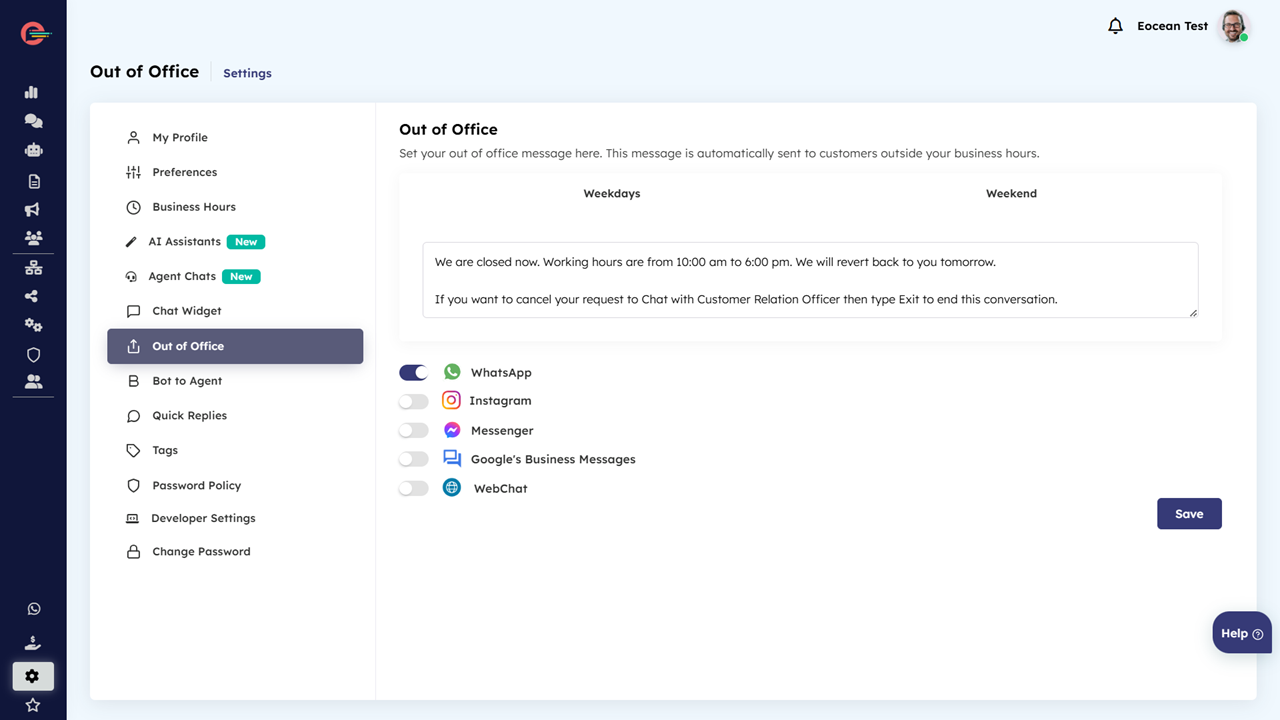
To setup weekdays out of office reply:
- Click on Settings > Out of office and then click on weekdays tab
- Click on WhatsApp icon and configure the Outside Business Hours Message in the text box below and click save
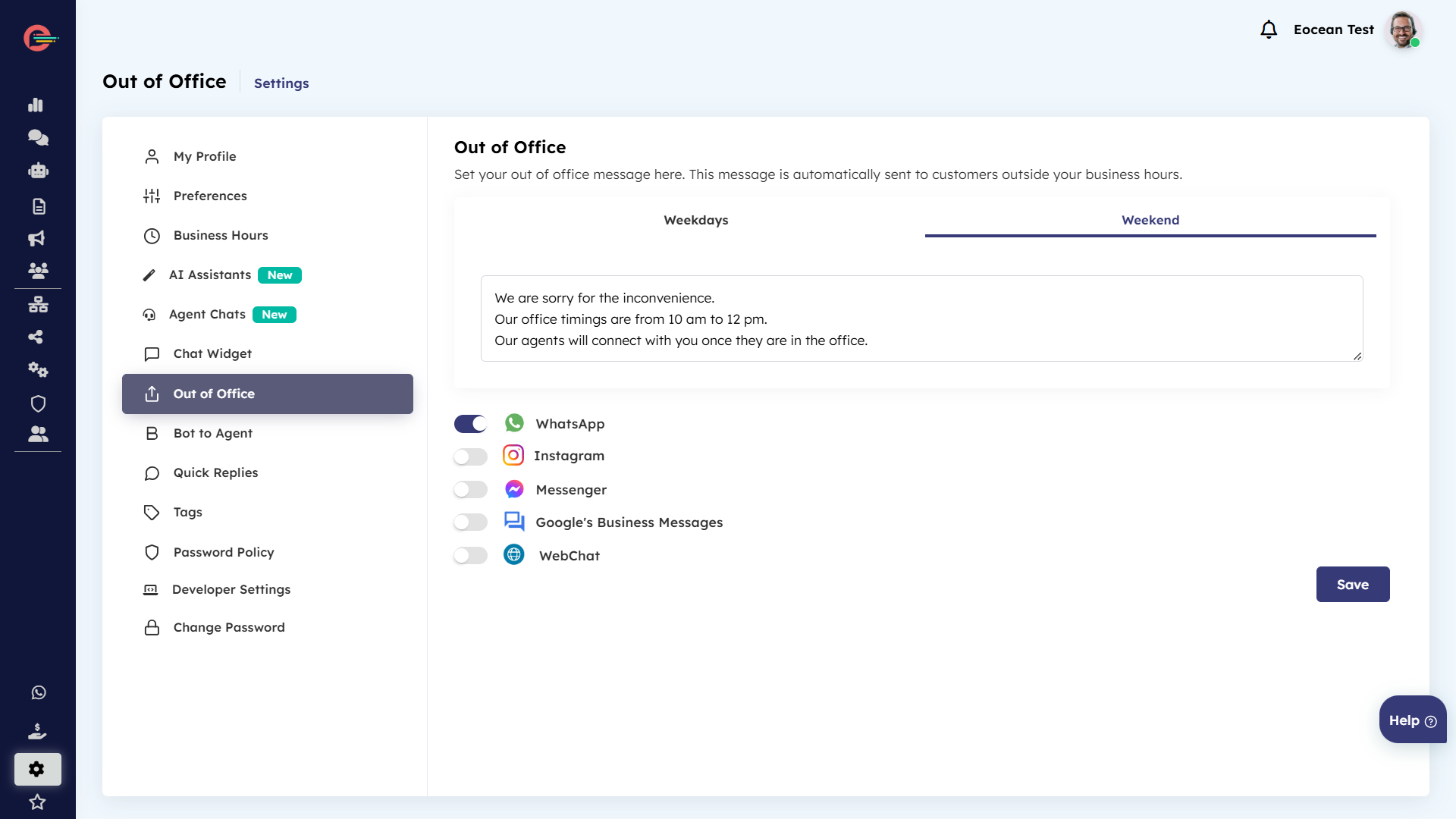
To setup weekend out of office reply:
- Click on Settings > Out of office and then click on weekend tab
- Click on WhatsApp icon and configure the Weekend Message in the text box below and click save
-
Setup Opening hours
Opening hours define the hours when your support team is available to serve customers. By defining your opening hours, you can setup automated messages to be sent to customers when customers interact through a channel outside your business hours
Setup Opening hours
Opening hours define the hours when your support team is available to serve customers. By defining your opening hours, you can setup automated messages to be sent to customers when customers interact through a channel outside your business hours
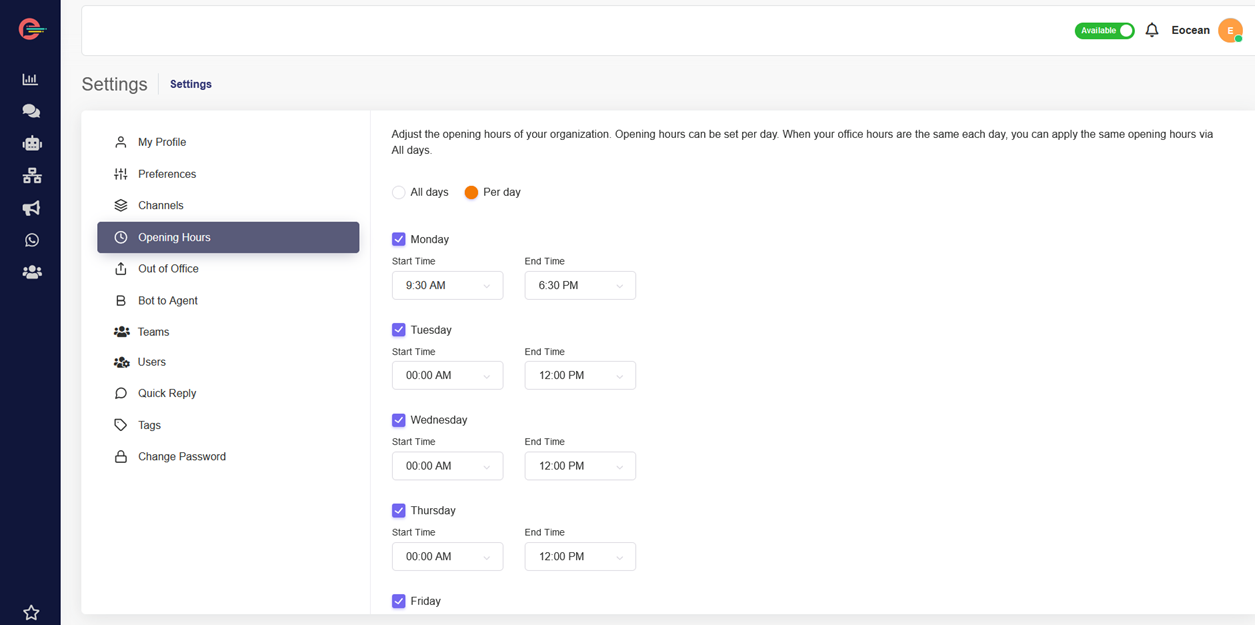
- Click on Settings > Opening hours and select either All days or Per day.
- Define your opening hours and click save
[feedback_form] [related_articles]Once you have setup your opening hours, you can now setup automated response to be sent to customers when they contact your agents via WhatsApp outside the business hours.
-
Managing Agent Status
The Agent Status Toggle Control feature in Digital Connect allows Administrator to control whether agents can mark themselves as “Available” or “Away” directly within the chat window.
-
desktop notifications Digital
Notifications make it easy to stay informed of incoming conversations from customers. Digital Connect provides real-time alerts to keep agents informed and ensure they never miss a chat, enabling efficient support.
-
Configure Platform Preferences
Digital Connect preferences allow you to configure default platform settings to help accomplish desired functionality. It is important to review all of the options available and apply configurations that meet your business needs
Configure Platform Preferences
Digital Connect preferences allow you to configure default platform settings to help accomplish desired functionality. It is important to review all of the options available and apply configurations that meet your business needs
Only Administrators can access and setup Platform Preferences
You can configure your Platform Preferences by applying the following steps:
- Login to your Digital Connect account and click on Settings > Preferences
Setup your Timezone
In the Time Zone section, you can set a default time zone for your account using the drop down menu.

Enable Security
Typically, logging into Digital Connect requires just your username and password. With two-factor authentication (2FA) turned on, logging in requires verification using a code sent on your mobile phone or email address. Because logging in with 2FA requires an additional layer of security , the risk of a potential intruder gaining access to your account is much lower. In the Security section, you can enable two-factor authentication for your user accounts.
Once enabled, your users will receive a one-time code on their registered mobile phone number and/or registered email address to log in to their accounts.
- You can enable two-factor authentication by toggling the button towards right side.

- It will prompt the modal window asking you to select the check boxes to receive code via SMS or Email
-
Select your options and click save changes
Your users will now receive a unique code to login to their account as an added layer of security in addition to their account password.
It is recommended to enable both SMS and Email verification to avoid the possibility of SMS OTP delivery failures
Auto-hide conversations
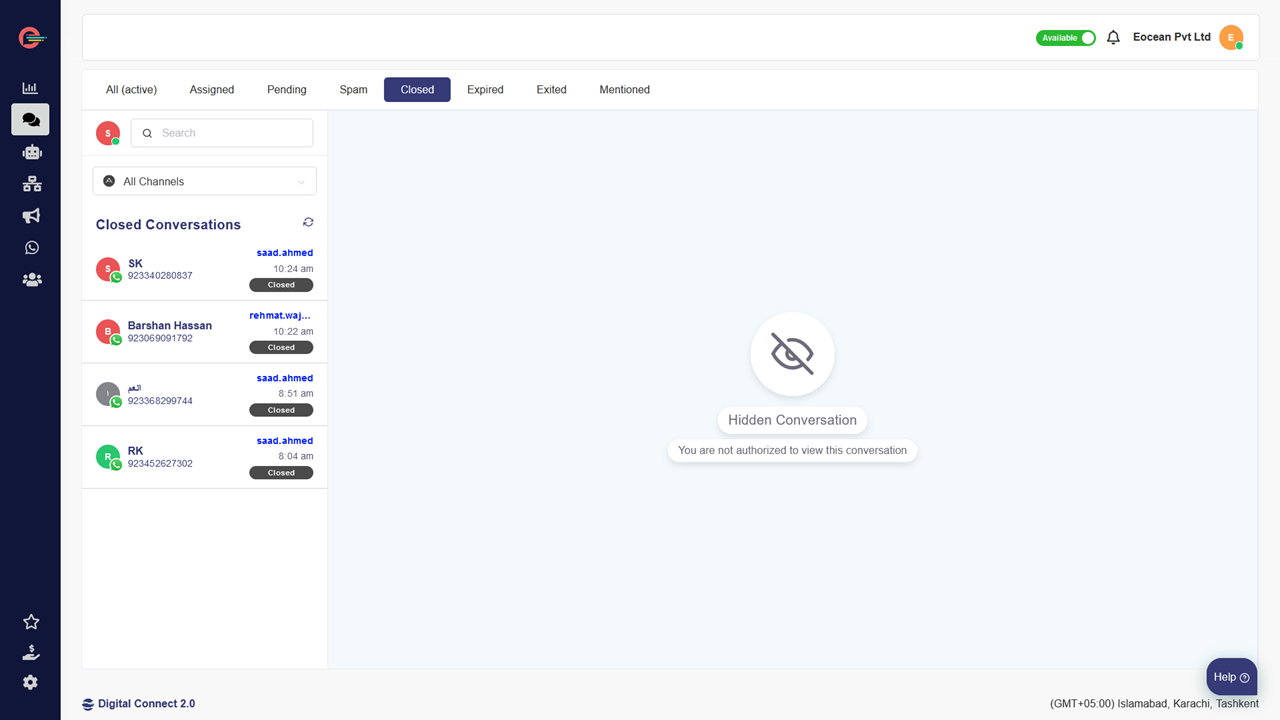
At times, due to compliance or security related requirements, you may be required to hide customer agent conversations once conversation status is marked closed by your agents.
You can enable auto-hide conversations feature by toggling the button towards right and click save changes.

Once enabled all conversations marked closed by your agents will be automatically hidden within the customer conversation window.
Automatically assign conversations
This feature is very helpful in case of high volume of incoming conversations to assign them to your agents automatically using a round-robin mechanism.
-
Toggle the icon towards right and click on save changes and all your conversations will be automatically assigned to your agents

[feedback_form] [related_articles]Email Conversation Transcript
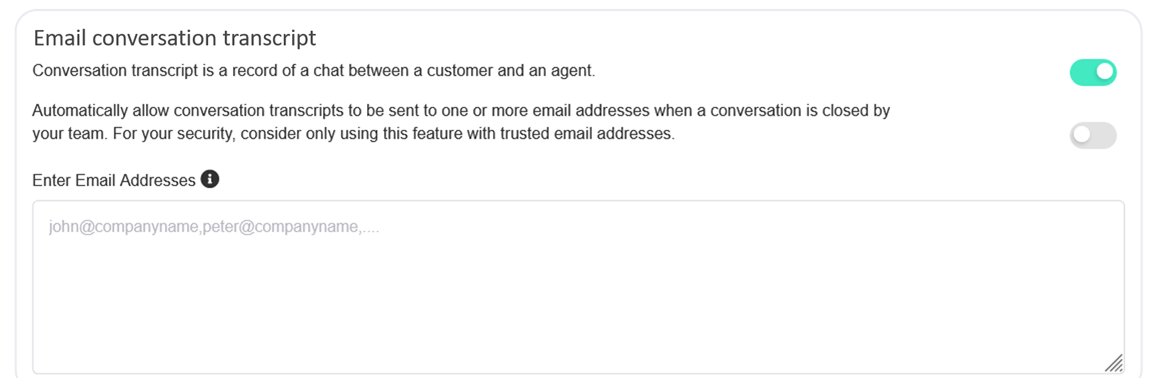
This section allows you to configure authorized email addresses to receive a conversation transcript for each conversation once its closed by your agent.
Manually Email conversation transcript
You can allow your agents to manually email conversation transcripts on a case to case basis.
- Toggle the top icon towards right and add email addresses of your authorized recipients in the provided section under Enter Email Addresses.
-
Click save changes
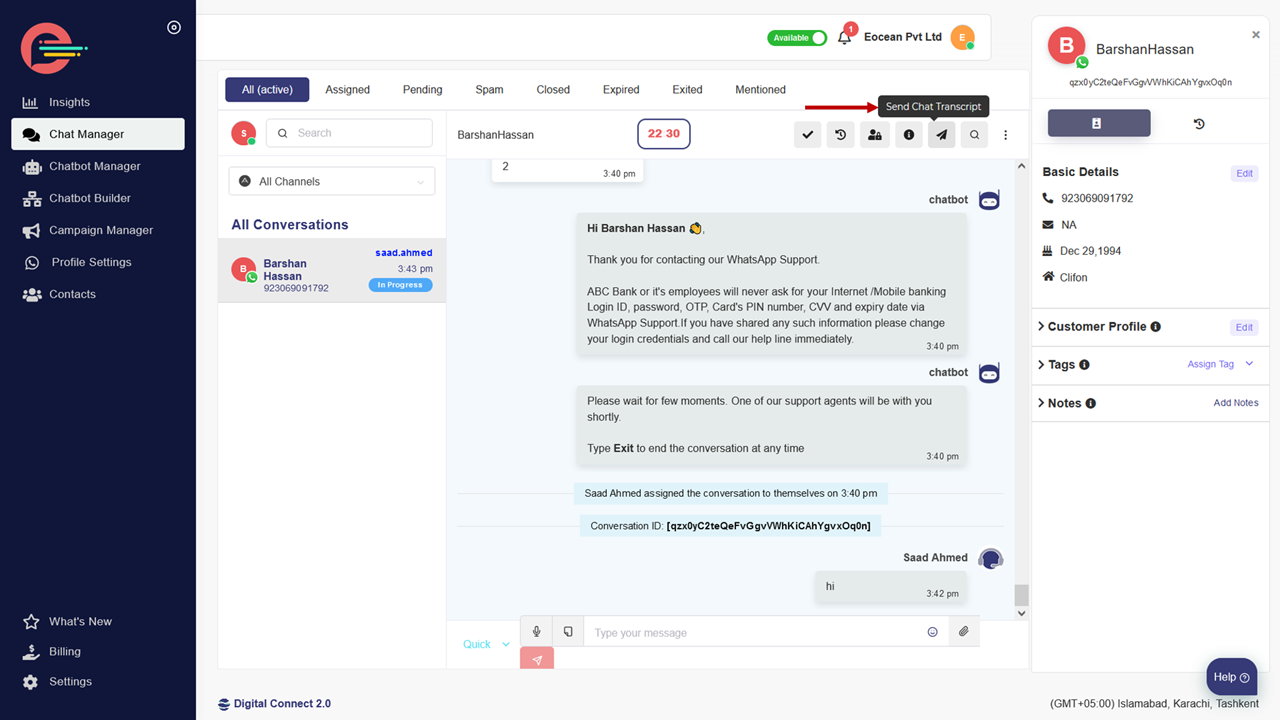
- Click on chat manager in the left navigation menu and then select any conversation
- Navigate to top right of the conversation window and click on Send Chat Transcript button to send email transcripts to authorized email recipients
Automatically email conversation transcript
-
Toggle the bottom icon towards right and Click save changes
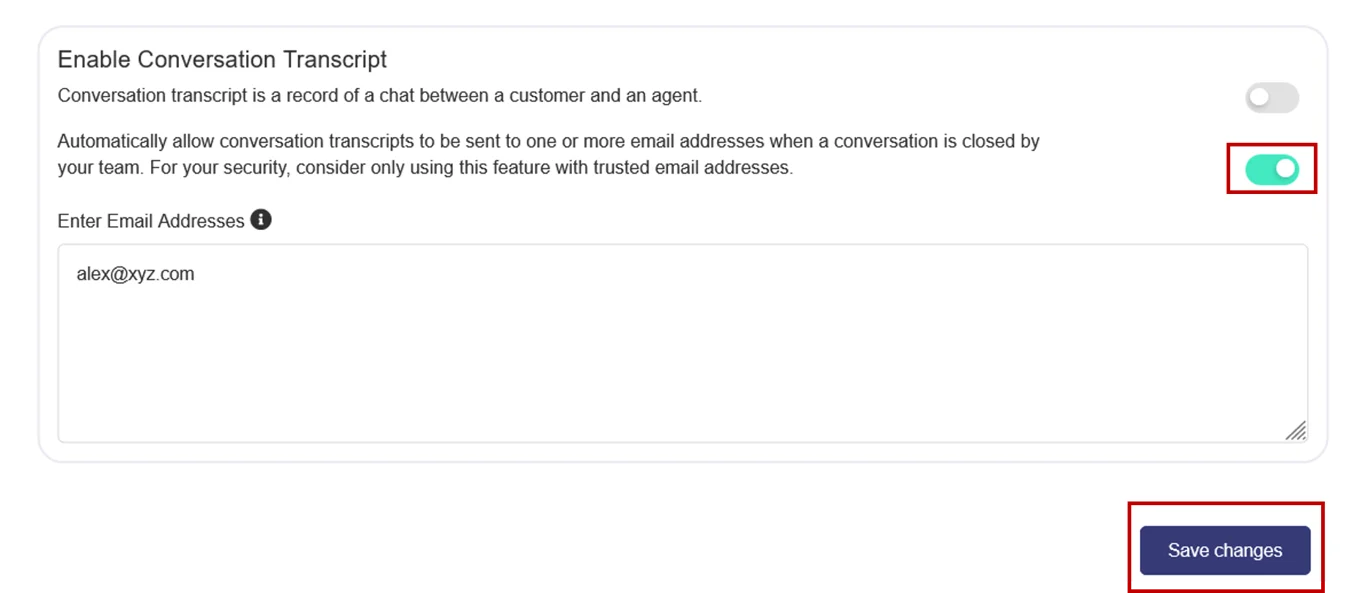 All your conversation transcripts will now be automatically emailed to your authorized email recipients once you agent marks the conversation as Closed.
-
configure browser notification
Desktop notifications are extremely convenient if you are using Digital Connect on a modern web browser such as Chrome, Firefox or Edge. When customers initiates a new conversation, Digital Connect will notify you via your browser.
How to configure browser notifications for Digital Connect?
Desktop notifications are extremely convenient if you are using Digital Connect on a modern web browser such as Chrome, Firefox or Edge. When customers initiates a new conversation, Digital Connect will notify you via your browser.
Turning on desktop notifications allows you to continue to receive notifications via your web browser — even when the browser is minimized. Receiving notifications is important so you can know exactly when a customer initiates a conversation or a team member forwards a conversation so you respond more quickly to deliver a better customer experience.
Your agents can enable or disable desktop notifications for their own accounts and it will not affect other accounts.
To edit desktop notification settings
- Click on Settings > My Profile and navigate to Notifications.
- Toggle the Desktop notification button icon and notification sound button to enable desktop notifications.
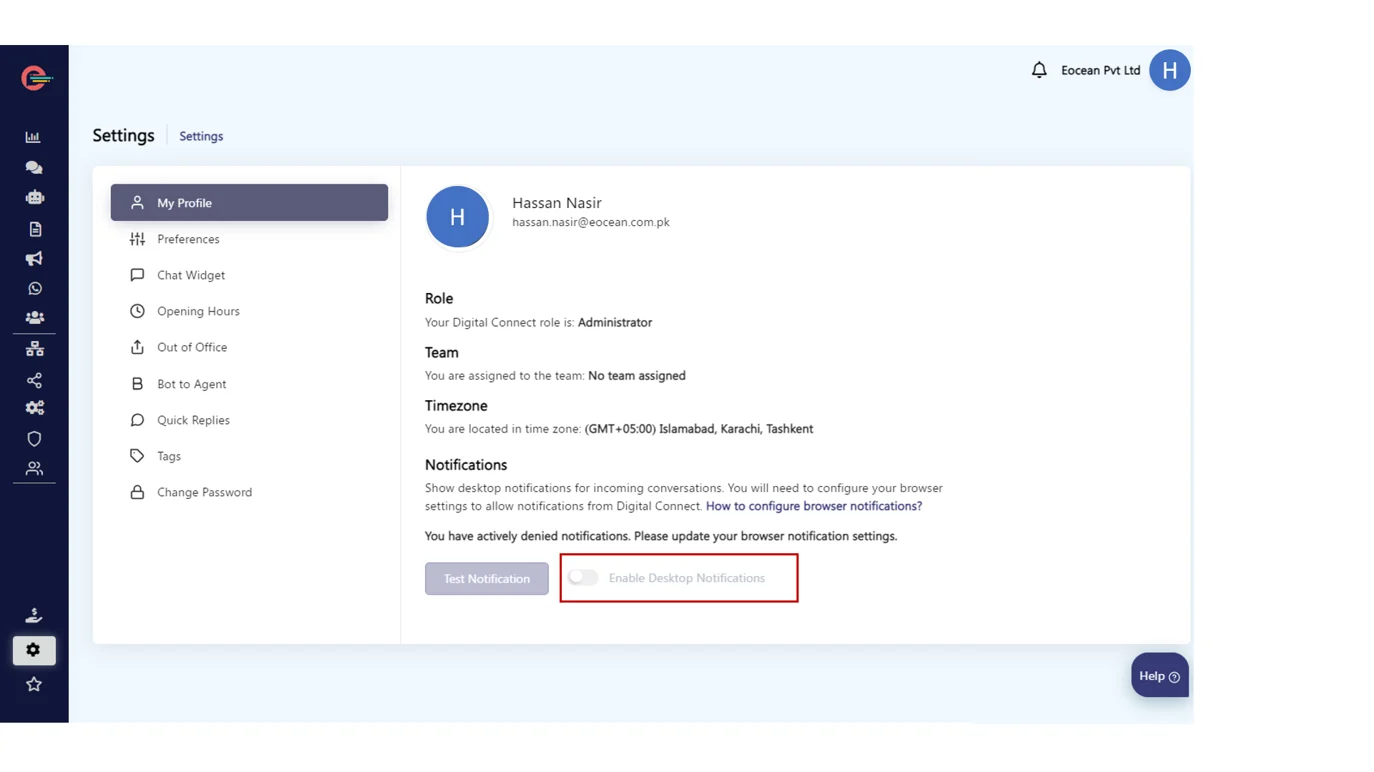
[feedback_form] [related_articles]In case, notification buttons are disabled, then follow the links below to follow the steps on how you can enable notifications for the most common browsers and how to enable the notifications in the windows action center.
-
chat widget in digital connect
The chat widget on your website enables your visitors to communicate with your business in real-time. It usually pops-up in the bottom right corner of a web page and prompts visitors to chat with you bot or an agent on your chat channels.
How to setup a chat widget in Digital Connect and embed it on your website
The chat widget on your website enables your visitors to communicate with your business in real-time. It usually pops-up in the bottom right corner of a web page and prompts visitors to chat with you bot or an agent on your chat channels.
In this tutorial, you will learn how to create and install a chat widget on your website.
Step 1: Chat Widget Settings
Here’s how you can customize the chat widget as per your requirements and generate the widget code. You can then add the widget code to Google tag manager (recommended) or to your website code.
Step 2: Install a Chat Widget using Google Tag Manager
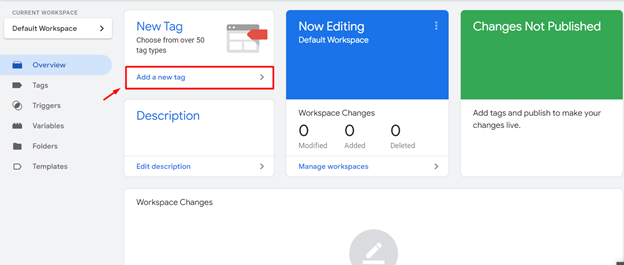
- Login to Google Tag Manager and Navigate to Tags > Add A New Tag
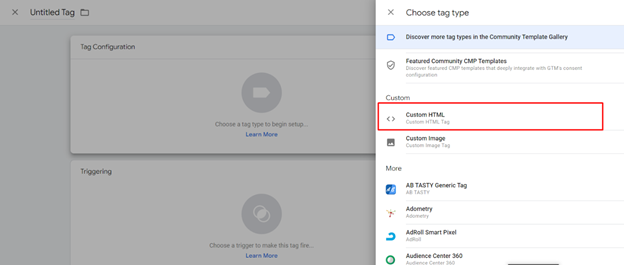
- Select Custom HTML as your tag type.
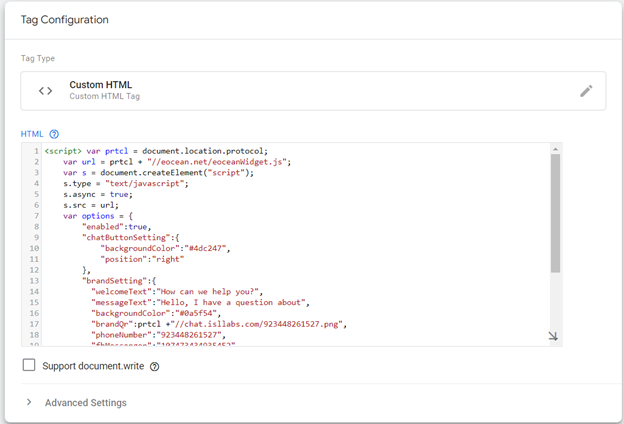
- Paste in the code snippet you have copied after creating it from Step 1 above.
- Click Choose a trigger and select all pages
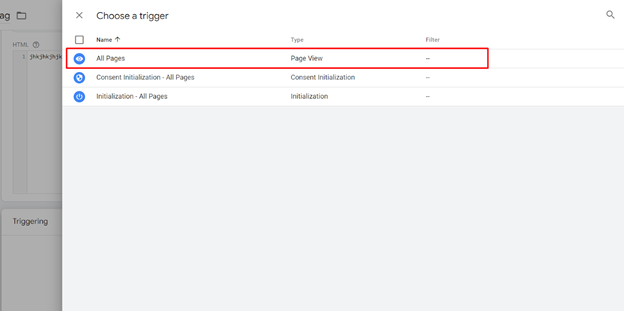
- Name and save your tag. You’re all done!
In case you don’t have Google Tag Manager already installed then install Google Tag Manager to apply the code.
Alternative Option: Embed the code snippet on your website:
- Go to the main page of your website and open its HTML code.
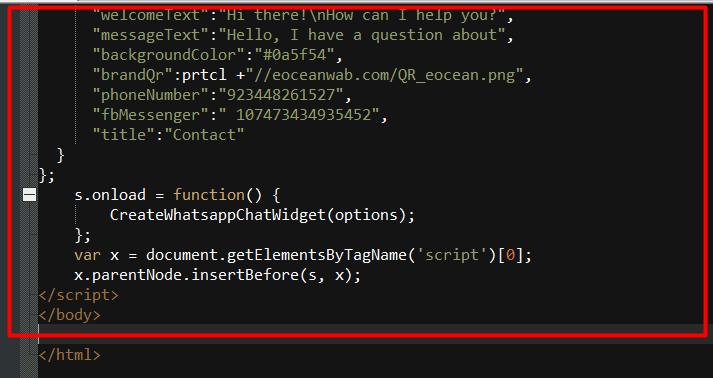
- Paste the full code snippet as the last line before the closing